How it works
See how a playground afternoon comes together
Have a look at your friends’ plans, share where you’re heading or let someone know you’re coming too. Here’s where to find each step in the app.
Today
See who’s out and about
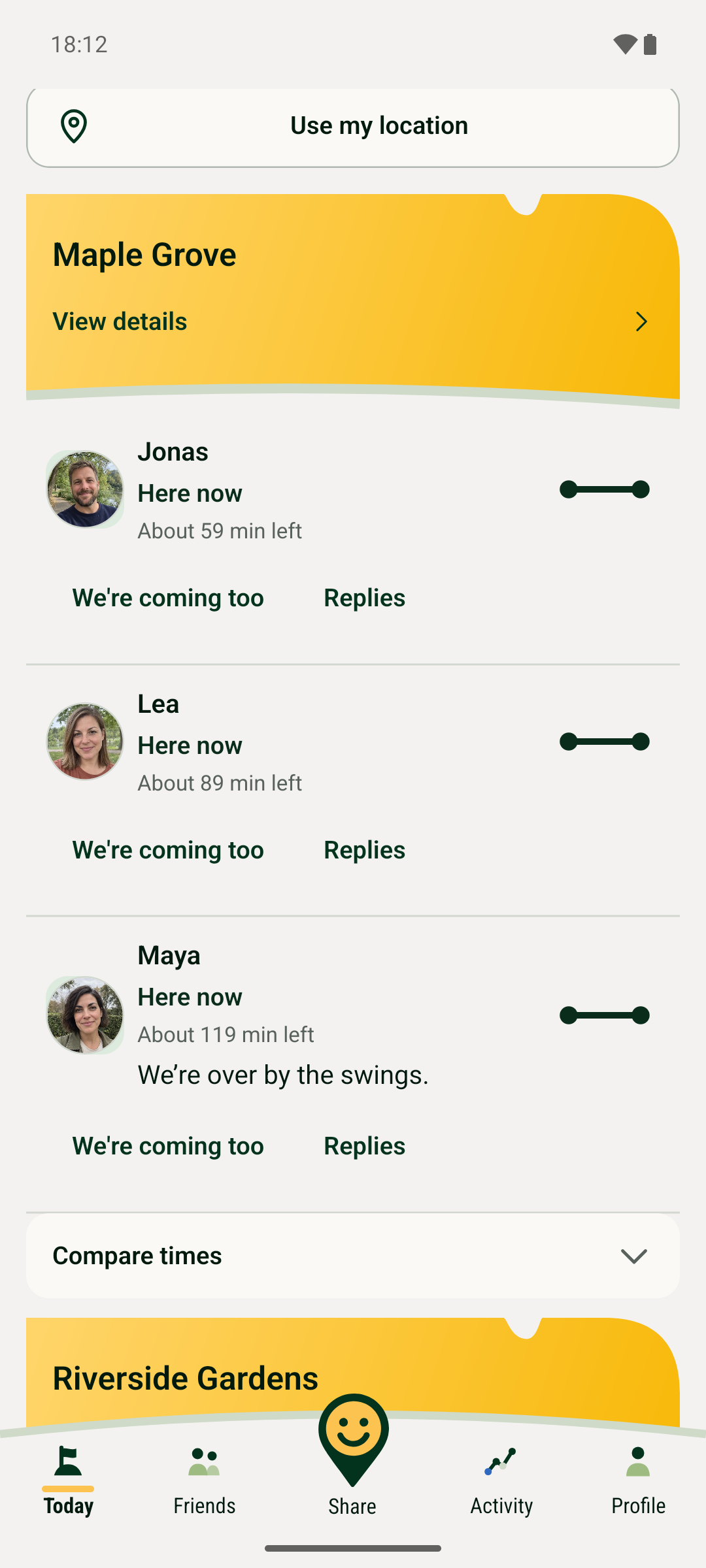
Open “Today” to see which friends are at the playground or going later. Each person has their own update, with their place and approximate time.
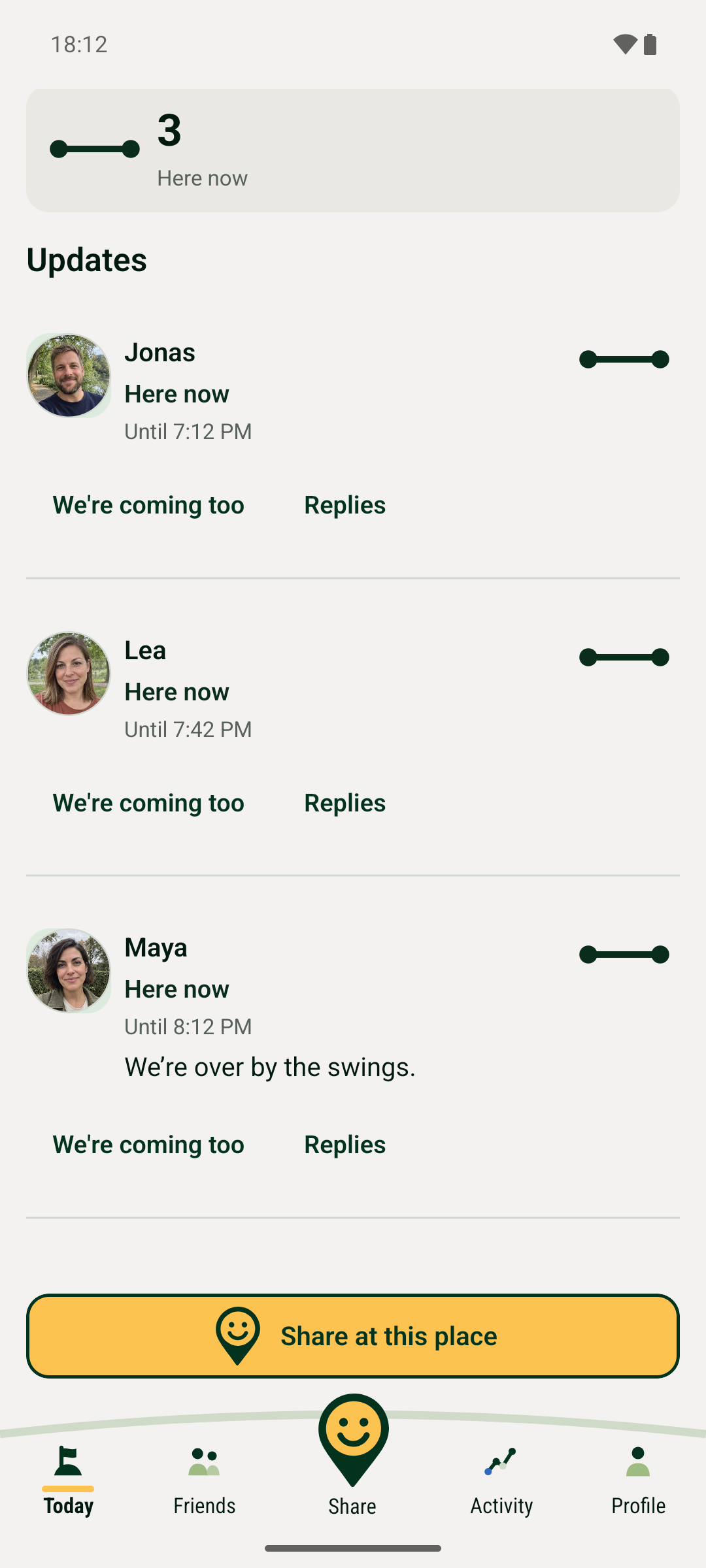
Tap “View details” on a place to see its map and your friends’ updates. You can decide whether it fits your afternoon before getting everyone ready.
Share
Let friends know where to find you
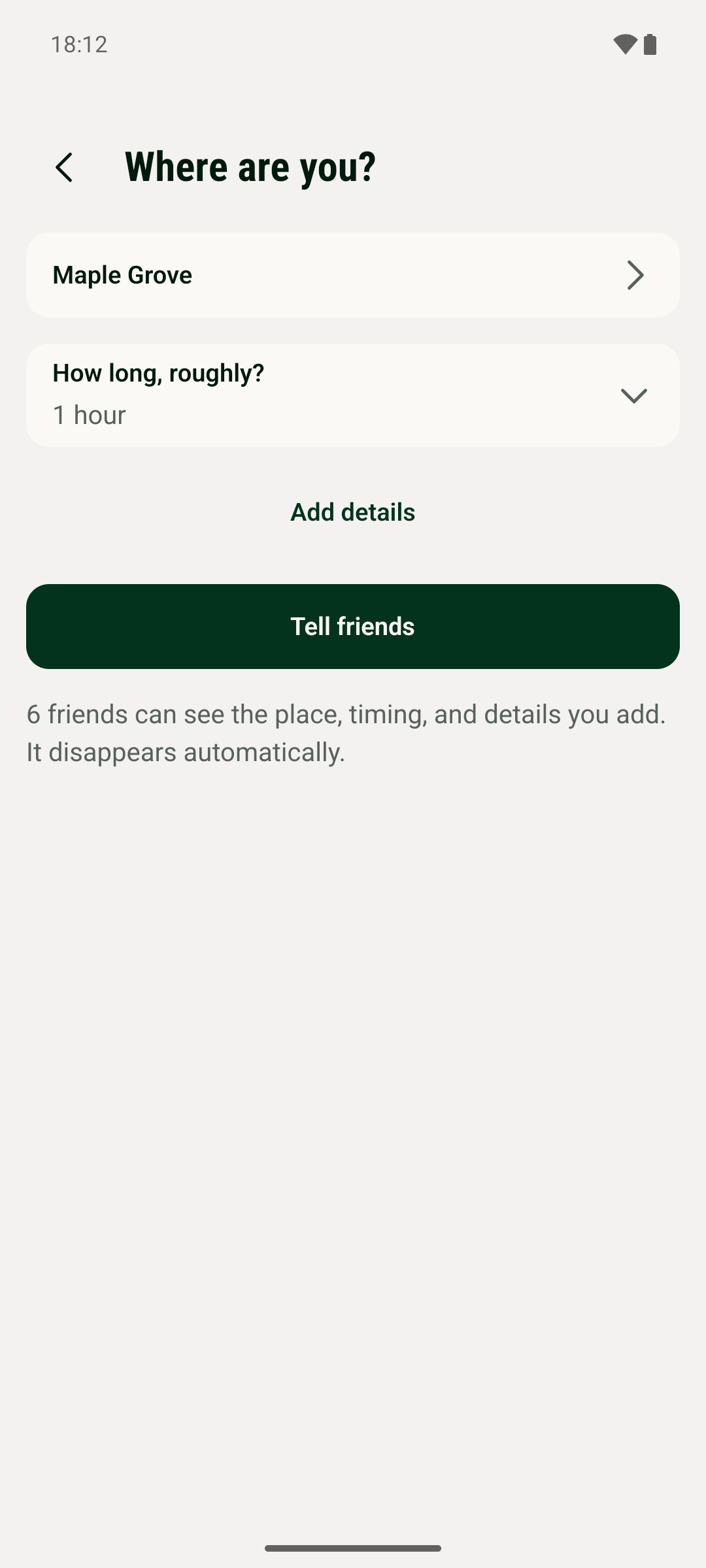
Tap “Share” at the bottom and choose “We’re here now” or “We’re going later”. Pick your playground and say roughly how long you’ll stay.
For a visit that starts now, “Tell friends” shares your update. You can add a note or details about your children if you want to.
Today · View details
Come along or ask a quick question
Your friends are already at the playground? Tap “We’re coming too” on your friend’s update, choose your arrival time and length of stay, then confirm.
You’ll share your own visit to the same place. Use “Replies” if you want to ask something first, like whether they’re by the swings.
Friends
Bring your friends along
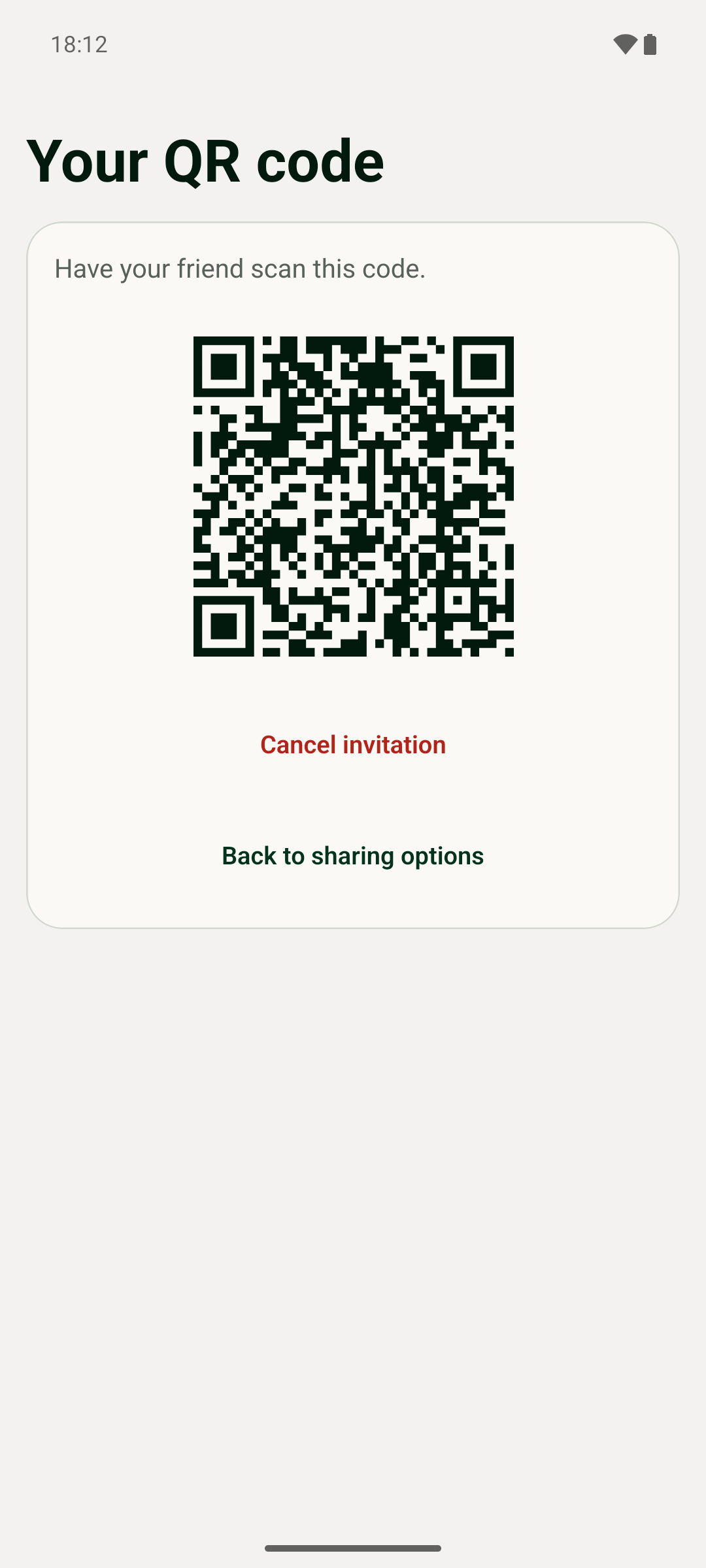
Open “Friends” and start an invitation. Send your personal invitation to someone you know. Once they accept, you can see each other’s updates.
Standing next to each other? You can also use a QR code. The screenshot shows an example of a personal invitation code.

There's always more to catch up on
Bring Friendground along next time you head to the playground, and invite the friends you and the kids would love to see there.